

Tips for Selecting The Best Magnifier For the Visually Impaired
This blog was published on March 5, 2024, and updated with additional content in July 2026.
[Low Vision Specialist]
Summary:
The best magnifiers for visually impaired users depend on daily tasks, vision needs, and lifestyle. Desktop magnifiers suit long reading sessions at home, portable electronic magnifiers work well on the go, and wearable devices keep your hands free. Vision Matters offers in-home demonstrations across Washington, Idaho, and Montana so you can try before you buy.
Reading, cooking, and everyday tasks become harder as vision changes. Choosing the right magnifiers for visually impaired users can restore independence and confidence for daily activities. With so many devices on the market, from small handheld lenses to full desktop systems, it helps to understand your options before you buy. This guide walks through the basics of magnification, the main types of low vision devices, and what to look for, then invites you to meet with our team for a free demonstration.
Understanding the Basics of Magnification
Magnification power tells you how much larger a device makes text or objects appear. According to the National Eye Institute, the number of Americans living with visual impairment is projected to double to more than eight million by 2050, and an estimated ten million Americans currently live with some degree of vision loss. As this population grows, magnification strength, lens design, and lighting all work together to determine how comfortable a device is for daily reading and close-up tasks. A low vision specialist or eye care provider can assess your visual acuity and recommend a starting magnification range, since a device that is too strong can shrink your field of view and make reading feel tiring rather than easier.
Types of Magnifiers for Low Vision
Desktop Readers and Video Magnifiers

Desktop magnifiers sit on a table or stand and offer the widest field of view of any device type, which makes them a comfortable option for long reading sessions, paying bills, or reading mail at home. Desktop readers from Vision Matters connect to a screen and let you adjust magnification, contrast, and color settings to match your comfort level.
Portable Electronic Magnifiers

Portable electronic magnifiers are compact enough to carry in a bag or pocket, making them useful for reading menus, price tags, and labels while out and about. Battery life, screen size, and weight are the main differences between models.
Wearable Low Vision Technology

Wearable devices such as smart glasses keep your hands free while reading, recognizing faces, or describing your surroundings. These are a good fit for users who want magnification support built into daily movement rather than a handheld device.
Mobile Desktop Magnifiers

Mobile desktop magnifiers combine some of the screen size of a desktop unit with a lighter, more portable frame, giving users a middle ground between full desktop systems and pocket devices.
| Type | Best For | Portability |
| Desktop Readers | Long reading sessions at home | Low |
| Portable Electronic | Errands, labels, menus | High |
| Wearable Technology | Hands-free tasks | High |
| Mobile Desktop | Home use with some travel | Medium |
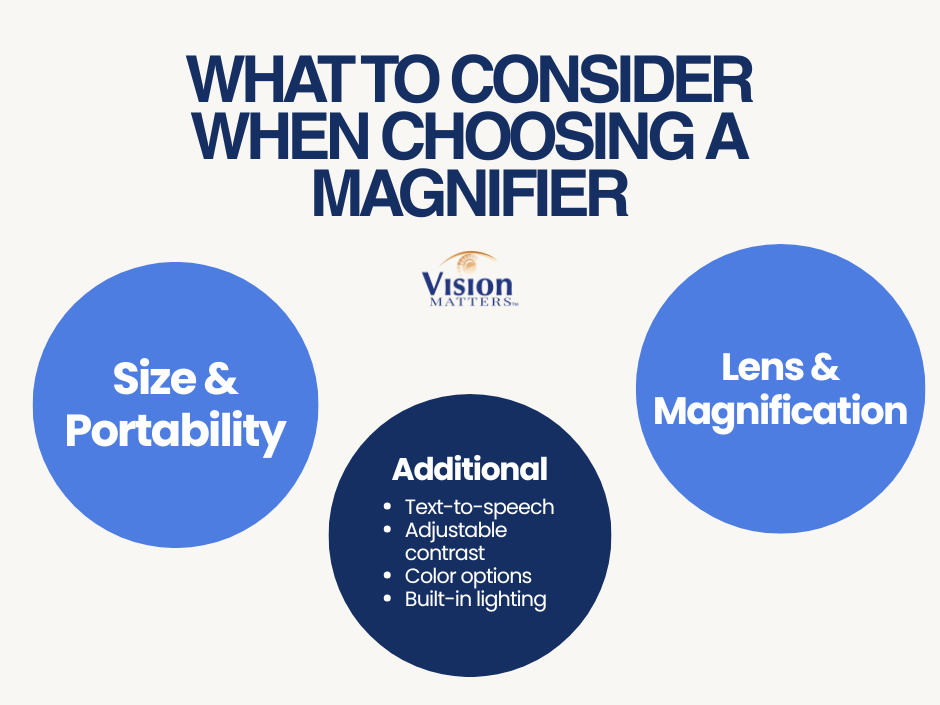
What to Consider When Choosing a Magnifier
Size and Portability
Think about where you will use the device most. A larger desktop unit is comfortable for reading at home for extended periods, while a smaller portable magnifier suits an active lifestyle and quick tasks like reading labels or menus while shopping.
Lens Shape and Magnification Power
Smaller lenses often provide higher magnification but cover less of the page, while larger lenses show more text at once with less magnification. Circular lenses tend to give a balanced view, and rectangular lenses suit reading longer lines of text. A low vision specialist can help confirm the magnification strength that matches your visual acuity and daily tasks.
Additional Features
Many current devices include text-to-speech, adjustable contrast, color options, and built-in lighting. These features help in different lighting conditions and can support users with progressive vision loss who may need more than magnification alone.
Vision Matters Products to Explore
Vision Matters carries a range of magnifiers for visually impaired users, from entry-level handheld options to advanced electronic systems. A few popular choices:
- Explorē 5 Portable Electronic Magnifier — from $859.00
- Amigo Portable Magnifier — $1,470.00
- Vision Buddy Wearable Headset — from $3,030.00
- OrCam Read Text-to-Speech Device — from $2,010.00
Frequently Asked Questions
What is the Best Magnifier for Someone Who is Legally Blind?
The best magnifier depends on remaining visual acuity and the tasks involved. Many legally blind users benefit from CCTV or desktop video magnifiers, which offer strong magnification and adjustable contrast. A low vision exam and an in-home demonstration with Vision Matters can help confirm the right strength and style for your needs.
How Much Magnification Do I Need for Reading?
Magnification needs vary based on your visual acuity and the size of text you read most often. Many users start between 2x and 8x magnification for everyday reading, then adjust from there. A low vision specialist or a Vision Matters product demonstration can help you find the right strength before you buy.
Are Portable Magnifiers as Effective As Desktop Models?
Portable magnifiers are effective for short tasks like reading labels, menus, or mail while out, but desktop models offer a wider field of view for longer reading sessions at home. Many users own both device types to cover different daily needs, one for home and one for errands.
Can I Try a Magnifier Before Buying One?
Yes. Vision Matters offers free in-home demonstrations across Washington, Idaho, and Montana so you can test different magnifiers for visually impaired users before making a decision. Call (253) 447-8255 or contact us online to schedule a visit at a time that works for you.
Do Magnifiers Help With Macular Degeneration?
Magnifiers can help many people with macular degeneration read and complete close-up tasks by enlarging text and improving contrast, though results vary by the stage and location of vision loss. A low vision specialist can advise which device type and magnification strength suit your specific condition.
Book Your Free Demonstration
Choosing between the many magnifiers for visually impaired users does not need to be a solo decision. Our team at Vision Matters offers personalized, in-home demonstrations across Washington, Idaho, and Montana so you can try devices firsthand before committing. Contact us or call (253) 447-8255 to schedule your free demonstration and find the magnifier that fits your daily life.